Think visually,Learn together
Empowering Students Through Interactive Learning,
Making Education Creative and Fun!
Interactive Learning App
It’s Simple and Secured
13,000+ Success Stories
Try LoiLoNote in your classroom
- Use with your students
- Experience two-way lessons
- See student thinking live
Creating Lessons for Personalised Learning
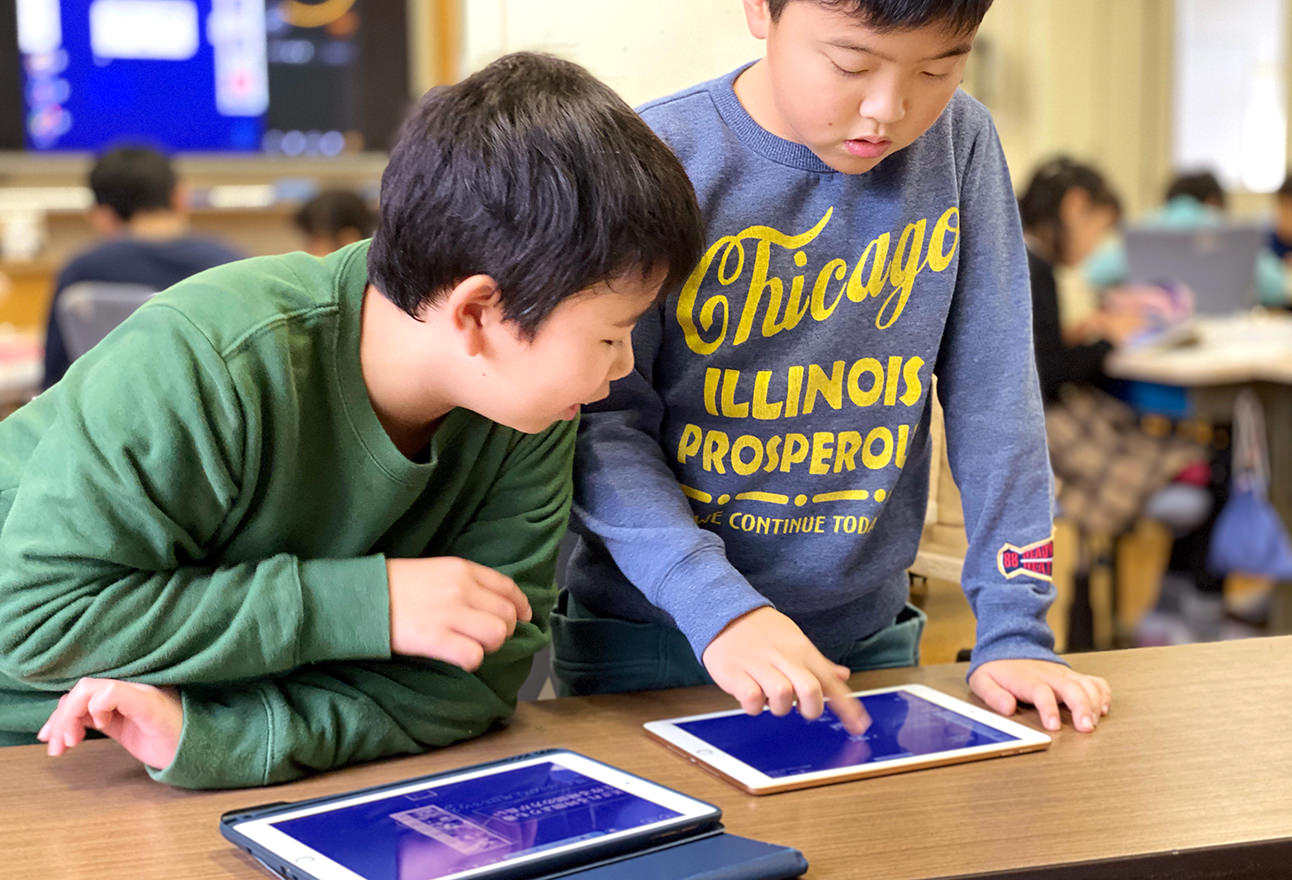
LoiLoNote School is an interactive learning platform designed for student-centered learning. It fosters independent inquiry, critical thinking, and student agency. It streamlines activities like lesson planning, delivery, sharing materials, managing submissions, and assessments, helping educators enhance their workflow.

Empowering Modern Pedagogy with ICT
At LoiLo, we empower modern education through seamless ICT integration. We support teachers with free training programs, build active learning communities, and provide dedicated assistance to help shape the next generation of learners. Our personalized approach ensures every school can enhance their teaching with confidence.

Best-in-Class Implementation Support
Getting started with LoiLoNote is simple and fully supported. We work closely with schools and teachers at every step.
- Support Desk – Help whenever you need it
- Free Group Training – Learn together as a team
- 1-to-1 Support – Personal guidance for teachers
Testimonials
![[LoiLoNote for School] The interactive lesson platform for student-centered learning in K-12](https://nweb.loilo.tv/lns-site-staging/global/common/img/logo/lns-logo-en.png)
A collaborative learning platform
designed for deeper thinking
Collaborative Learning
Visualize ideas through real-time collaboration and deepen learning through peer interaction
Move fluidly between individual and collaborative learning
Digital Note-Taking
-
Next-Gen Note-taking
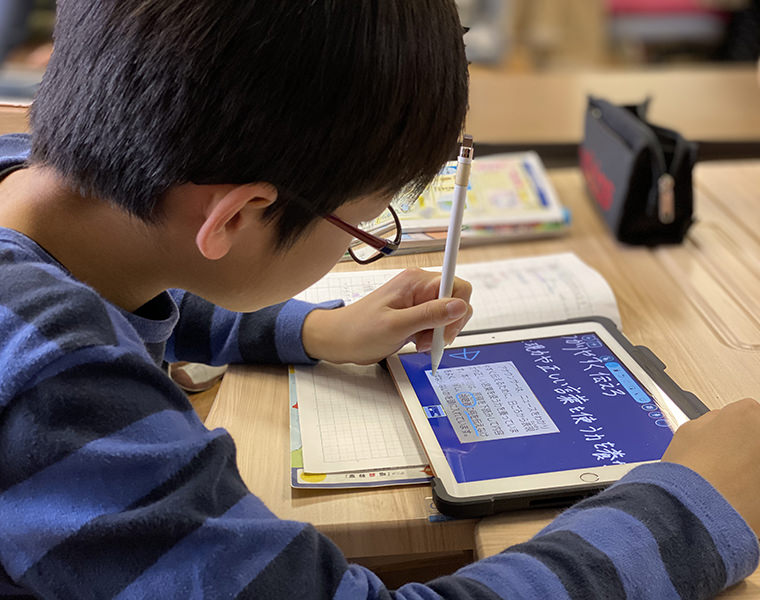
Digital notebook that feels just like paper
LoiLoNote goes beyond traditional paper by allowing teachers and students to integrate multimedia elements such as photos, videos, websites, and PDFs into their notes, fostering creativity and enhancing engagement. -
Create Dynamic Portfolios
Reflect on your learning journey
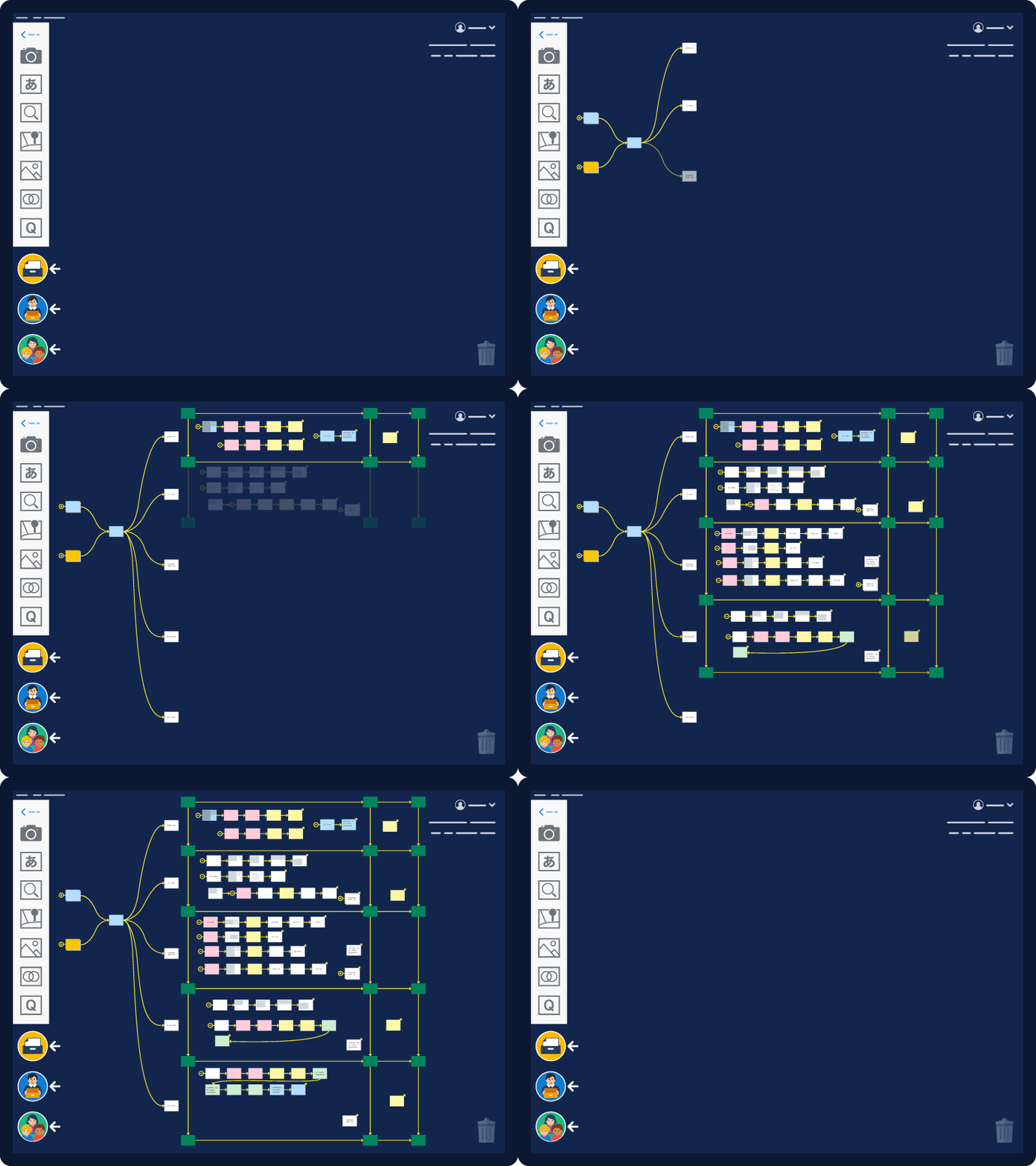
Portfolios help students track progress and reflect on their learning, connecting work across subjects for multidisciplinary learning. With unlimited storage, all materials are in one place, allowing students to easily revisit their work, making connections between subjects. -
Create Engaging Responses
With multimedia for every activity
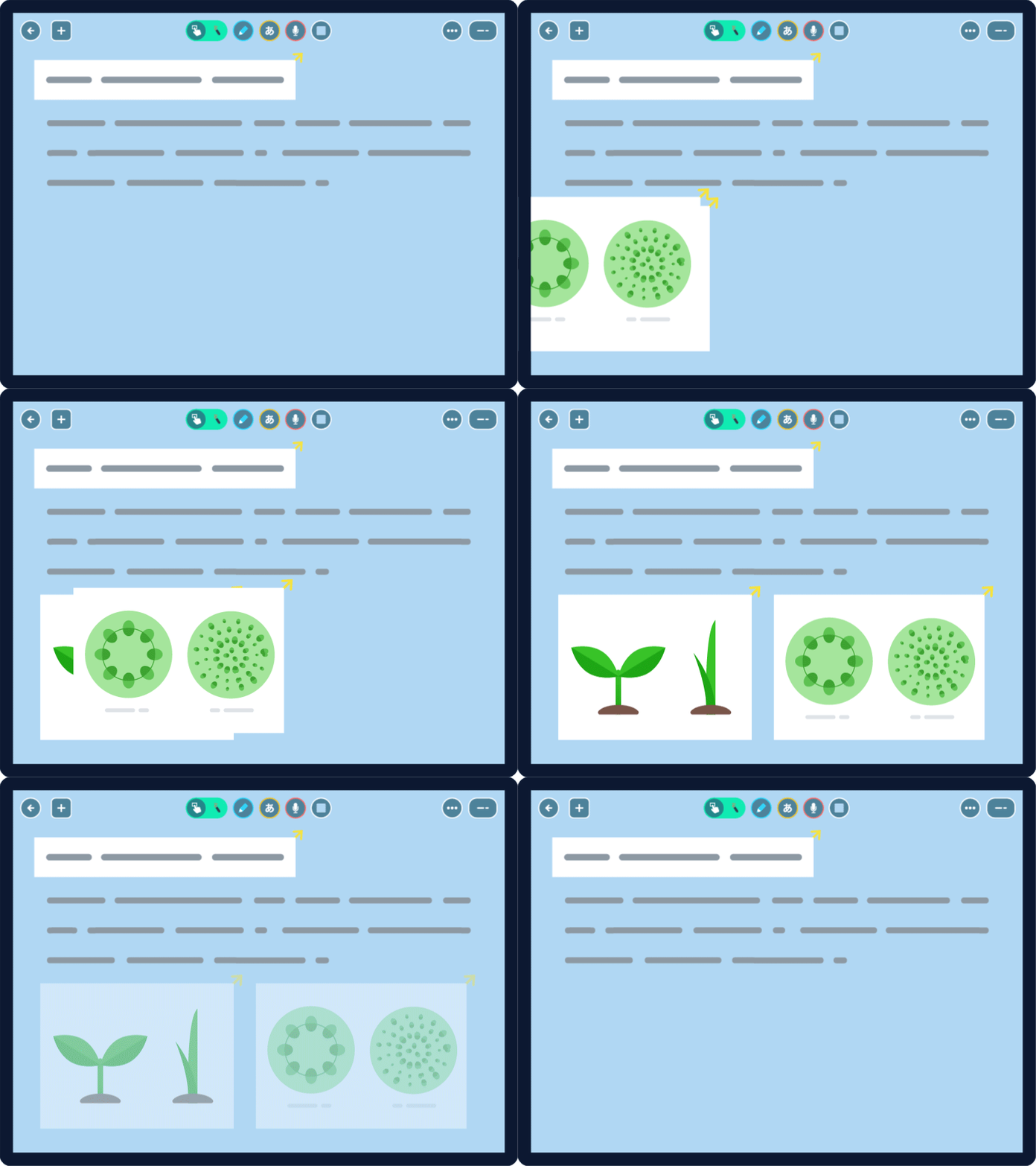
Students create rich, multimedia responses that demonstrate their critical thinking, creativity, and understanding. Combine videos, photos, audio, PDFs, and web content to craft impactful answers for assigned activities.
Visual Collaboration for Deeper Learning
-
Shared Notes
For inquiry-based learning
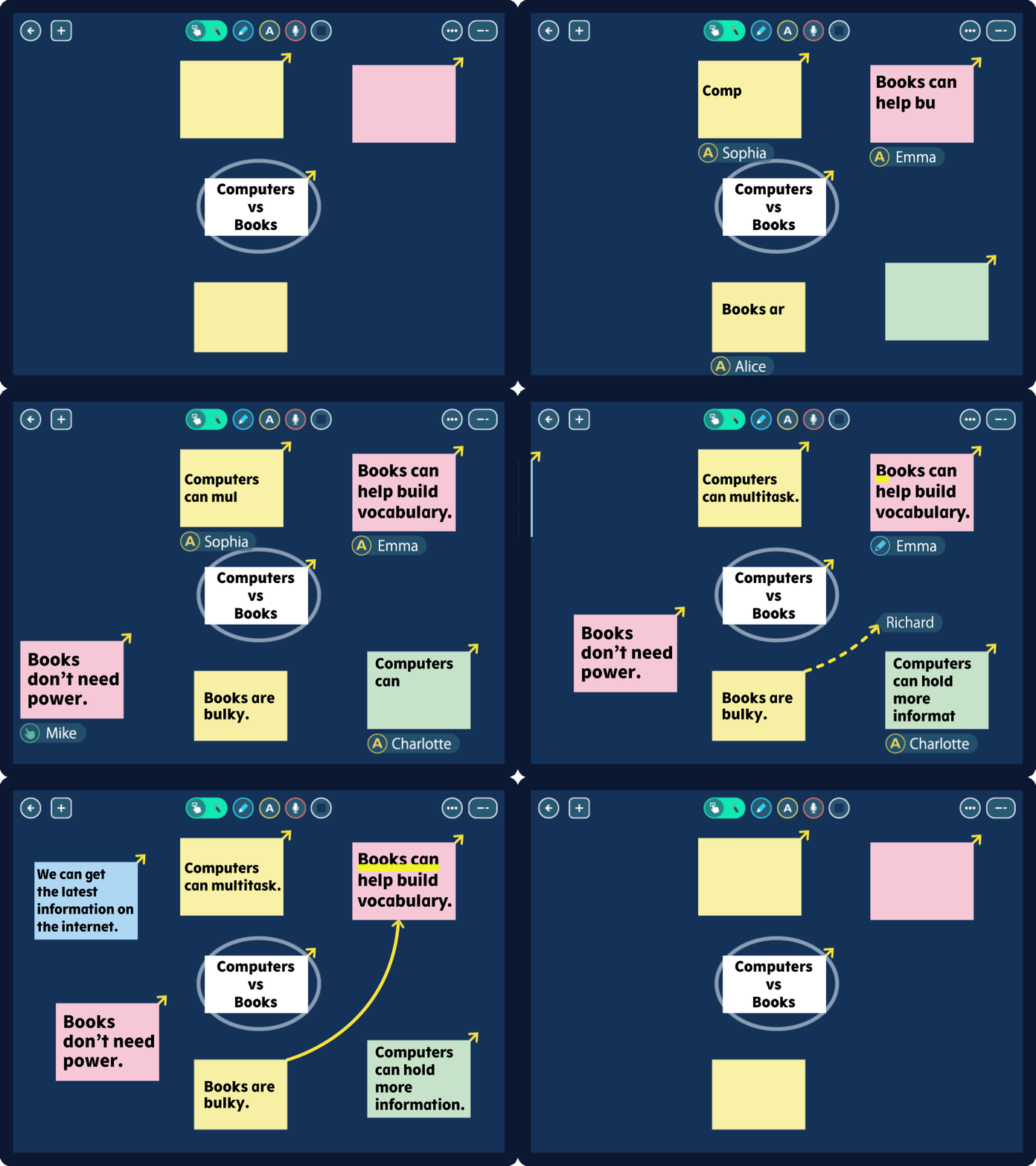
For an assigned group task, multiple students can collaborate in real-time, creating and editing together. Teachers can easily manage access and organize student groups. With history tracking and note restoration, it fosters teamwork and structured learning. -
Guided Learning
Observe student activity in real-time
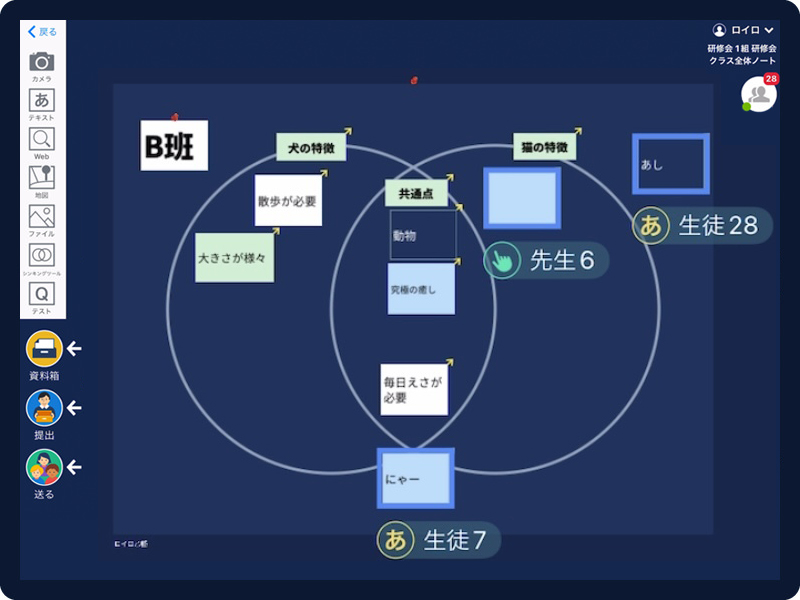
Teachers can track students' progress and thought processes in real time, providing individualized support for an optimal learning experience. Peer referencing encourages a balance between personalized and collaborative learning. -
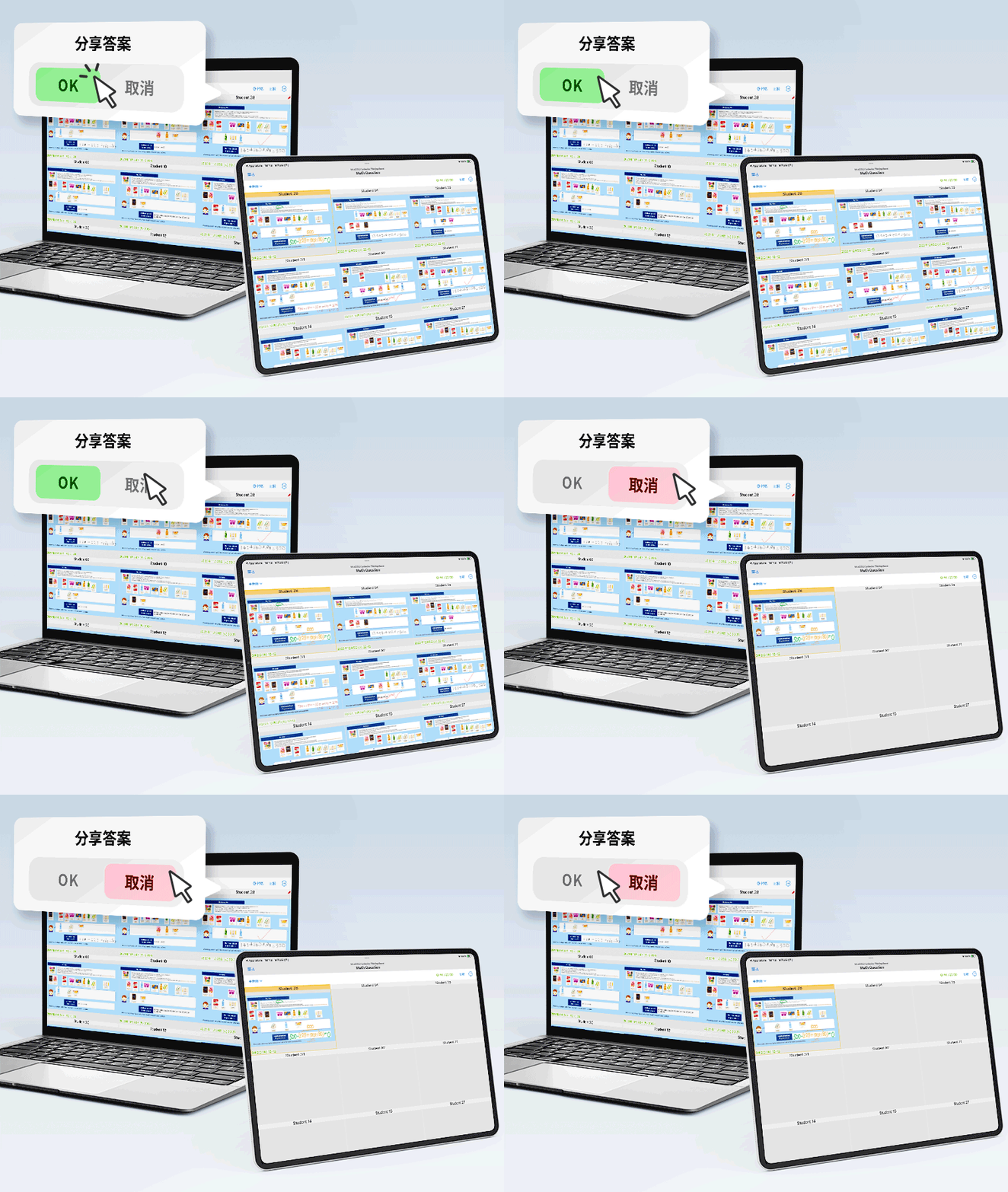
Peer-to-Peer Learning
Peer review and collaborative referencing
With teacher permission, students can view each other’s responses to gain new insights. They can also engage in peer review by highlighting favorite responses. Selected answers are displayed side-by-side on the screen for easy comparison, fostering collaborative learning.
Develop 21st Century Skills
Critical Thinking, Creativity, Collaboration and Communication
-
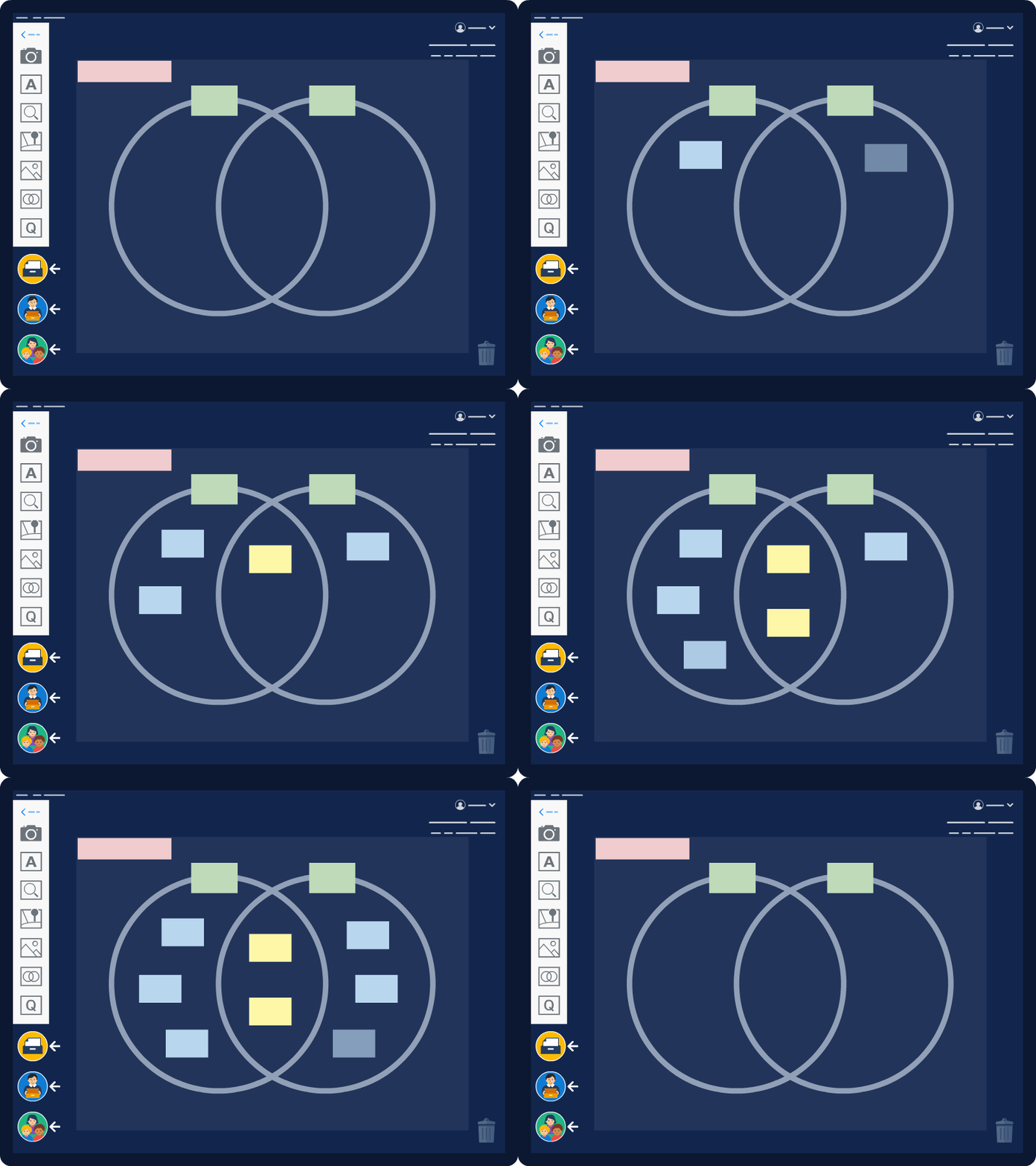
Visual Thinking Tools
Generate ideas and drive creativity
Students can visualize their thoughts, brainstorm ideas, and refine solutions with the help of graphic organizers. Organizing their thinking helps them communicate clearly, share ideas confidently, and engage in meaningful discussions. -
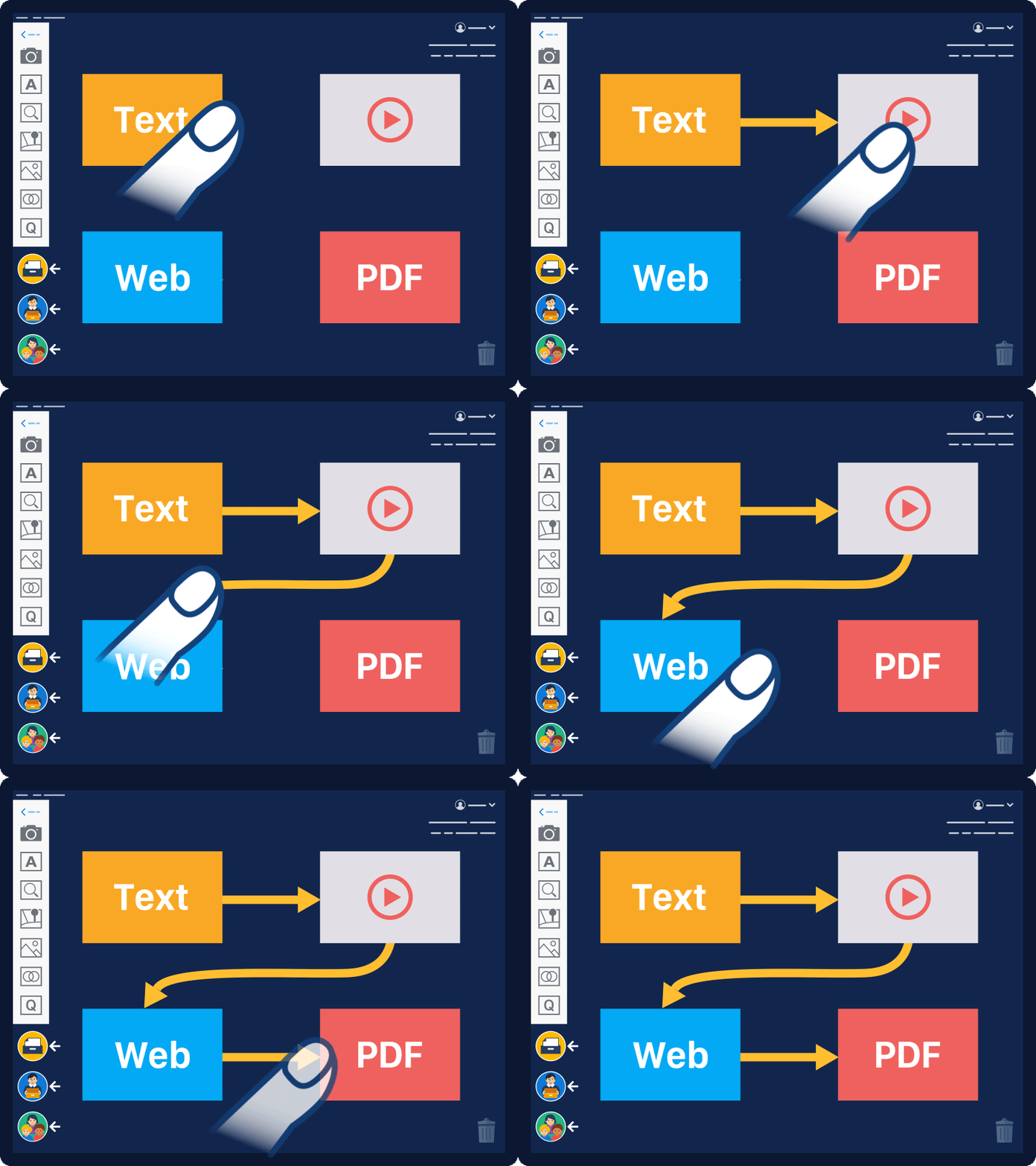
Link Ideas to Create Presentations
Organize thoughts and present with purpose
Students can easily create presentations by connecting multimedia cards, allowing them to focus on content while experimenting with different ways to present ideas. This enhances 21st century skills in line with NEP 2020 and IB’s inquiry-based learning. -
Innovative Ways to Use Thinking Tools
Unique approaches for every routine
LoiLoNote’s thinking tools are designed with unique learning approaches. Using unique thinking routines tailored to each diagram - like the butterfly for perspective and the pyramid for structure—boosts metacognition.
Interactive Learning
Streamline lesson flow from distribution and monitoring to submissions, tests, and evaluation.
Provide personalized support for every student.
Learning Management System
-
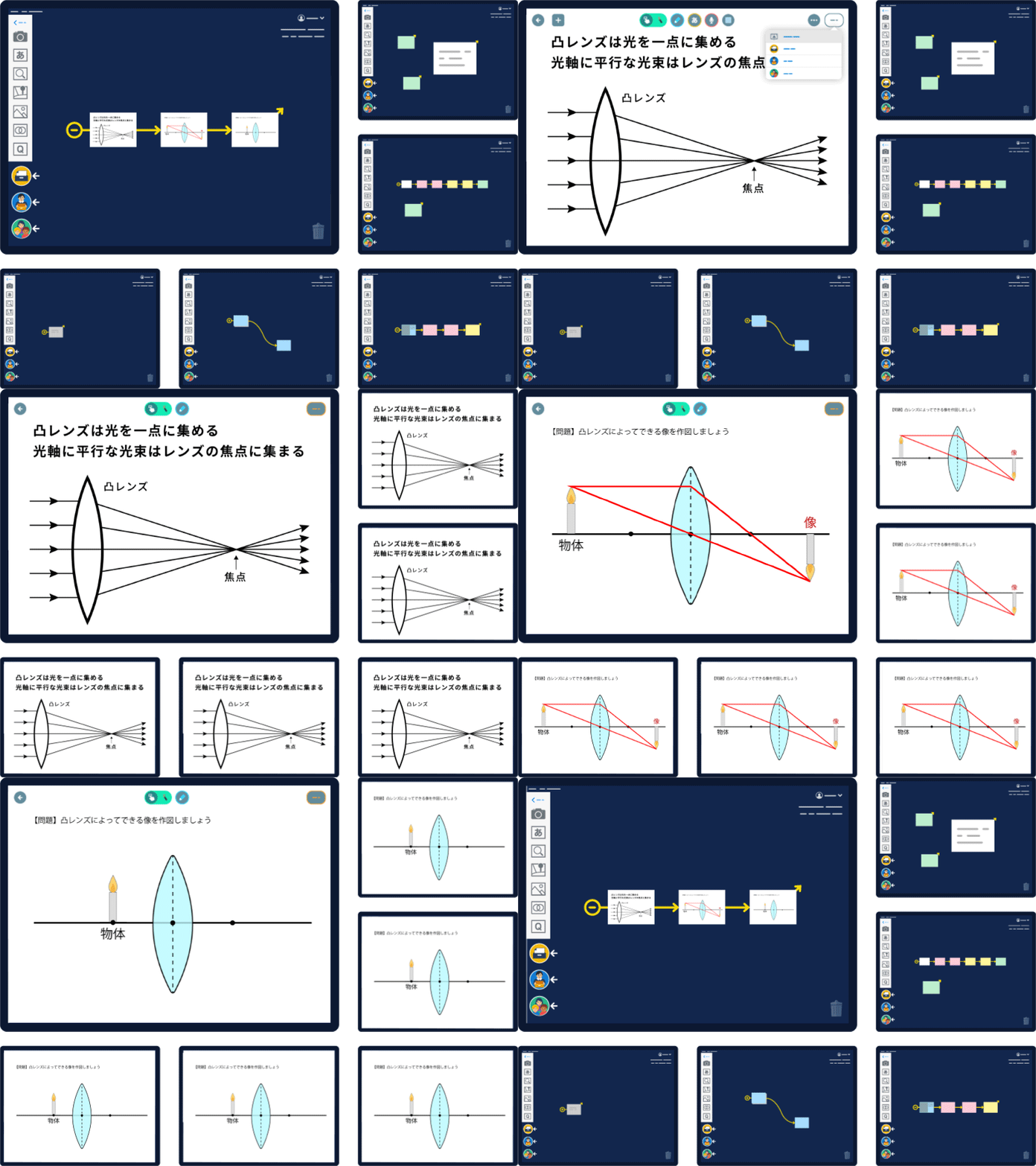
Real-Time Lesson Delivery
Two-way lesson delivery for participatory lessons
Teachers can share their content with students with real-time page turns, annotations, and synchronized video playback. Materials can be easily scheduled, distributed, and shared with automatic notifications, ensuring everyone stays on track. -
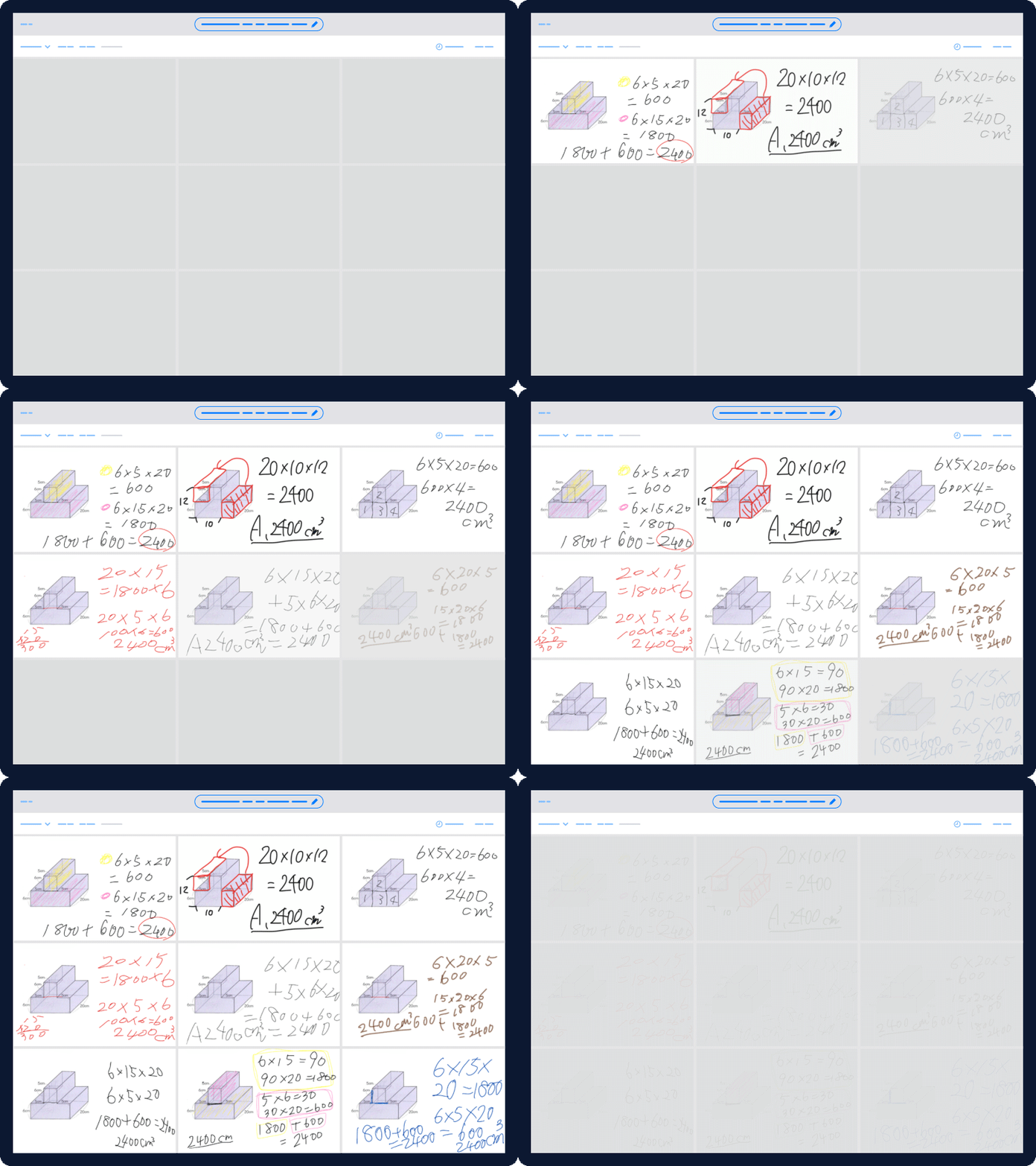
Simplified Submission Management
Manage, review, and respond to student submissions
Teachers can view all submissions on one screen, simplifying comparison and evaluation. They provide personalized feedback, ask students to present and compare responses. Teachers can export all responses as a single PDF, print them, and auto-generate portfolios. -
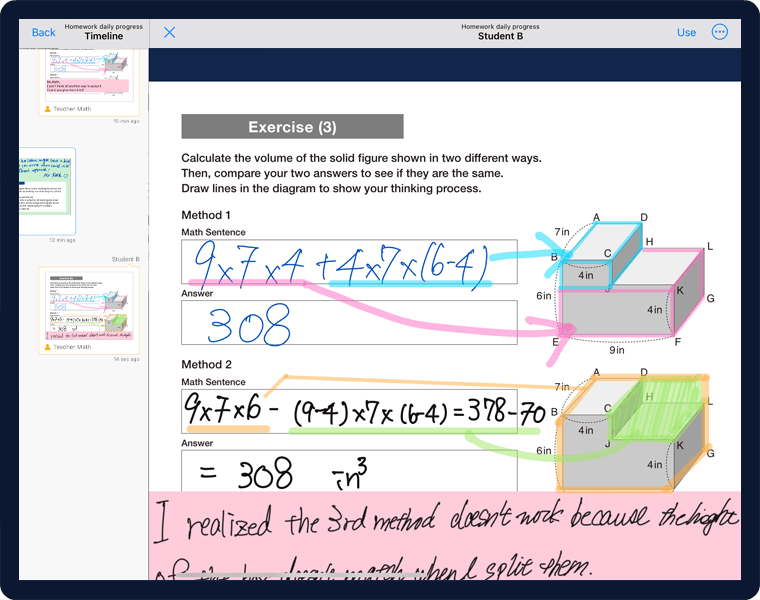
Provide Personalized Attention
Empower every student with tailored feedback
Provide individualized support through personalized feedback, helping students track their growth and reflect on their learning journey. Organized timelines ensure ongoing engagement, fostering deeper understanding and autonomy.
Automated Grading for Quizzes
-
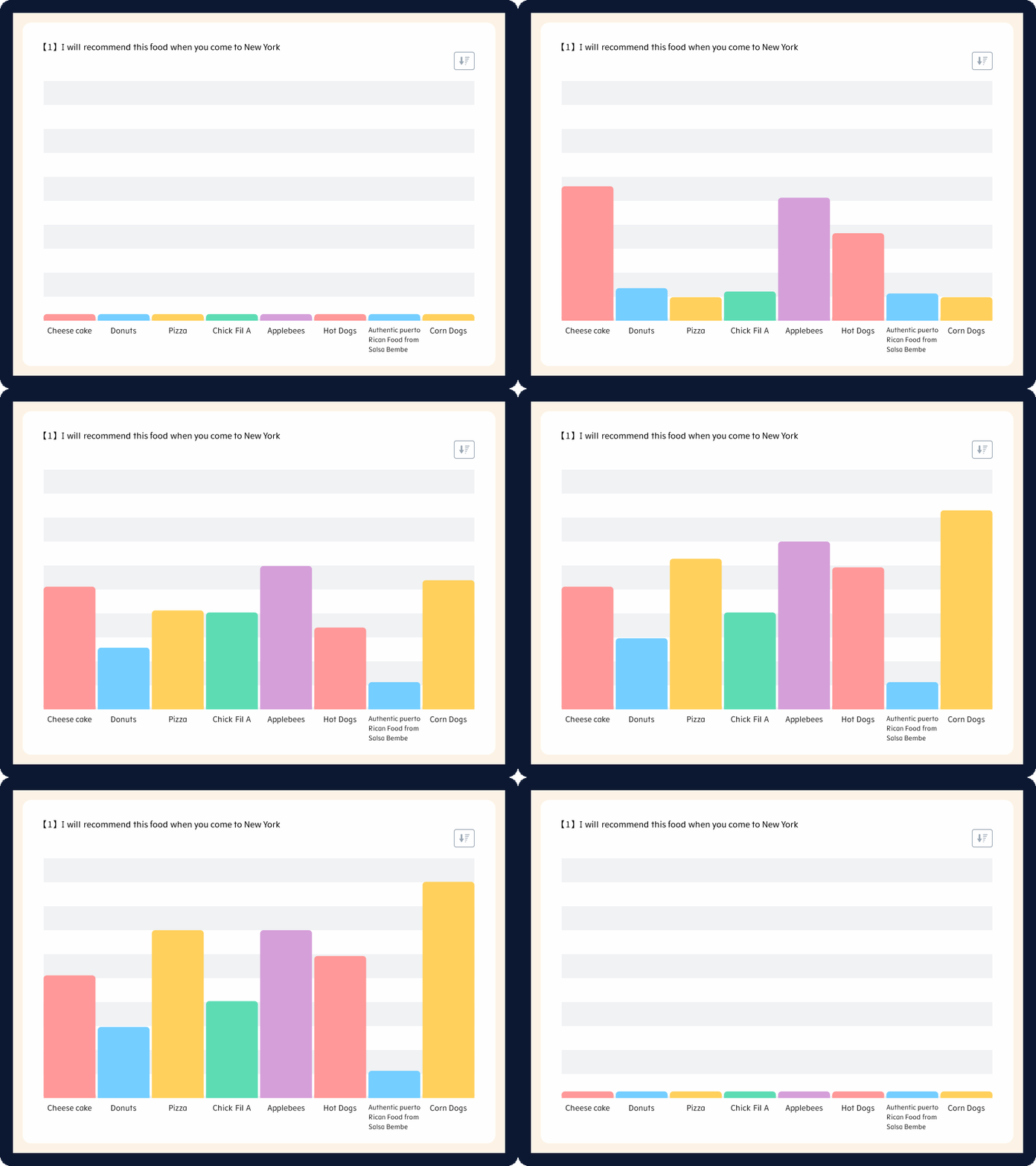
Design Tailored Quizzes
Create quizzes that motivate and captivate students
Create engaging quizzes and surveys with videos, images, and audio. Monitor student responses in real time and adjust teaching based on their understanding. Easily collect and analyze results from multiple classes. -
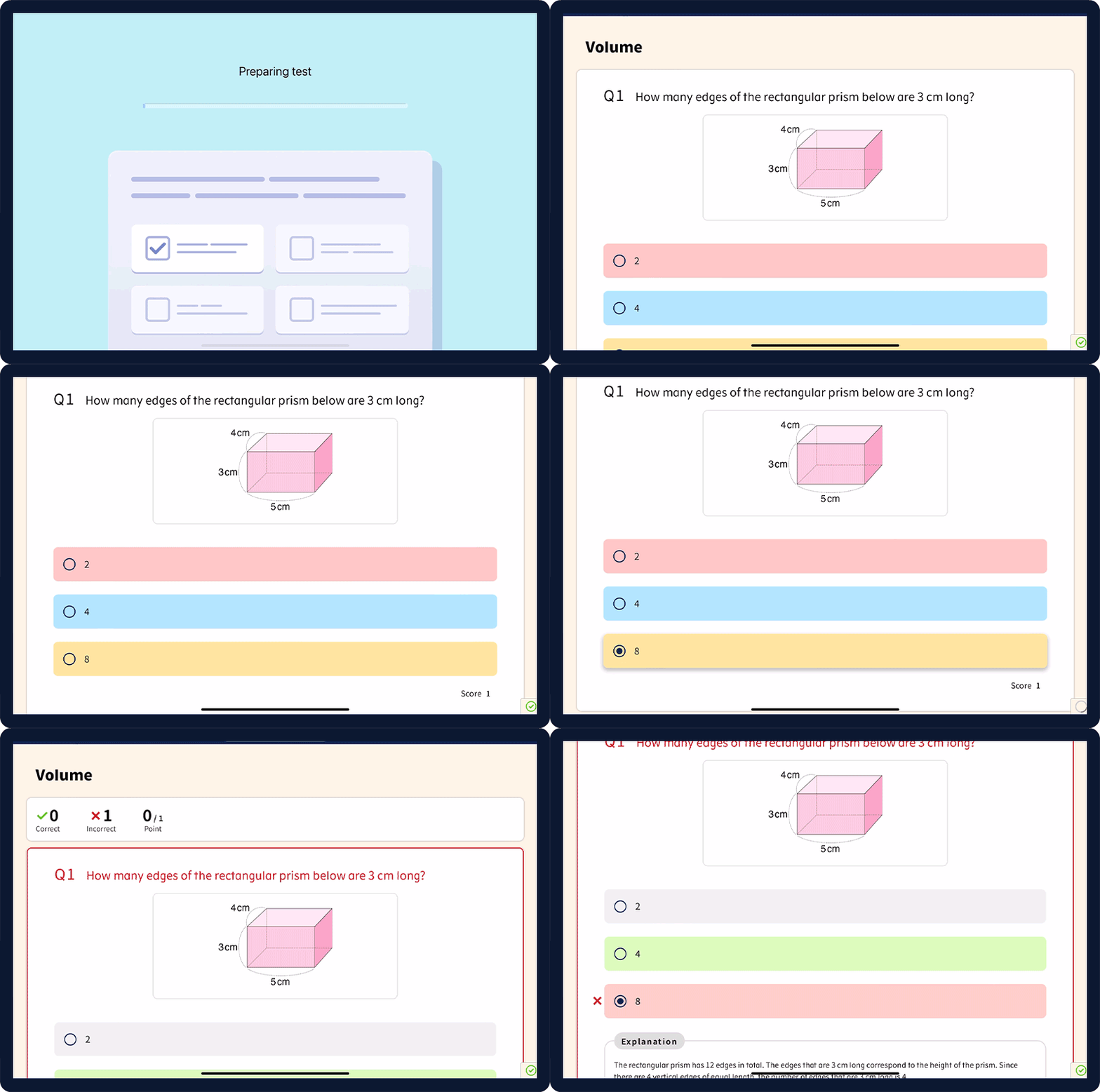
Automated Grading
Students receive instant scores
Multiple-choice questions, equations, and short answers are auto-graded. Students can review explanations and learn at their own pace, while teachers can easily track progress with exportable results (Excel). -
Interactive Tests with Gamification
Engaging assessments that enhance learning
Incorporate gamification into your tests to motivate students and increase engagement. With interactive elements, real-time tracking, and adjustable difficulty levels, gamified tests make learning fun while providing valuable insights into student progress.
Classroom Management
-
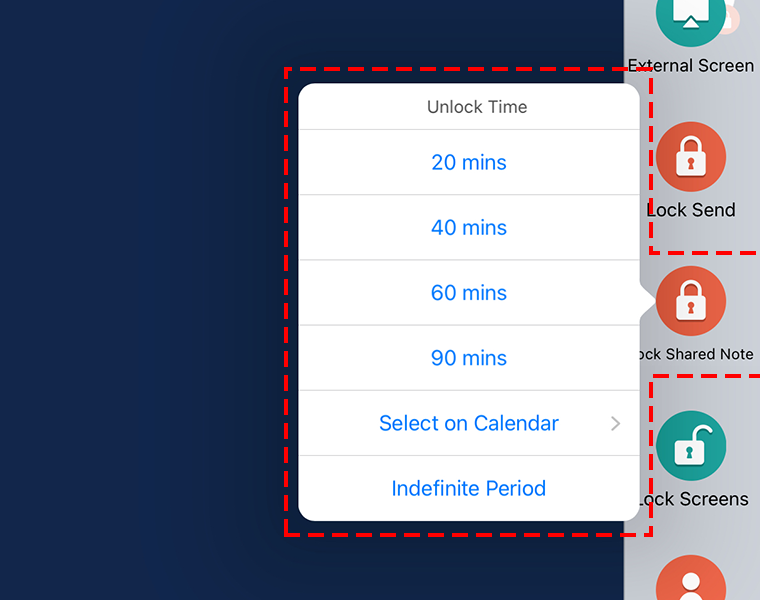
Classroom Controls for Guided Learning
Seamlessly integrate ICT in the classroom
Create a focused learning environment by managing digital engagement. Use screen lock for attention, student send lock for controlled collaboration, and view-only mode for structured learning. Balance digital and paper-based activities to keep students engaged. -
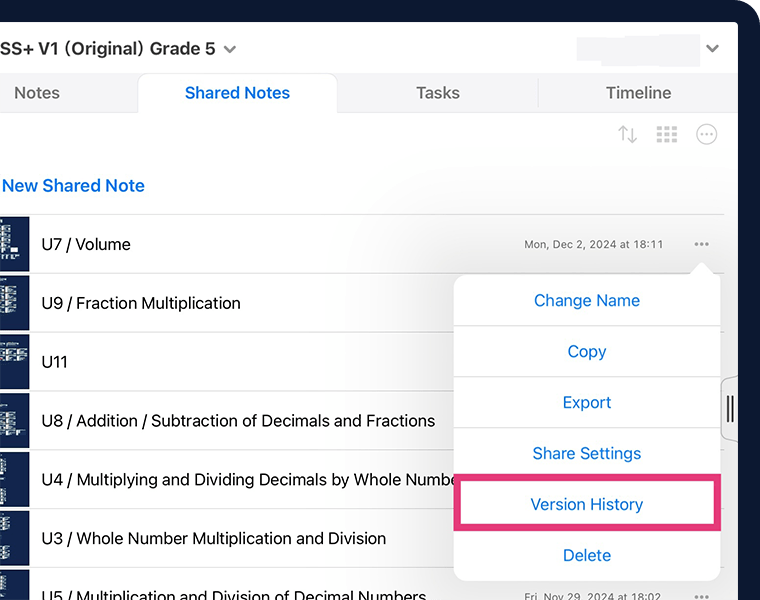
Track Student Interactions
Transparency and continuity in learning
Foster academic integrity by reviewing student interactions and reverting to previous notes when needed. This ensures a secure, reflective, and inquiry-driven learning environment where students can engage meaningfully while teachers maintain lesson continuity. -
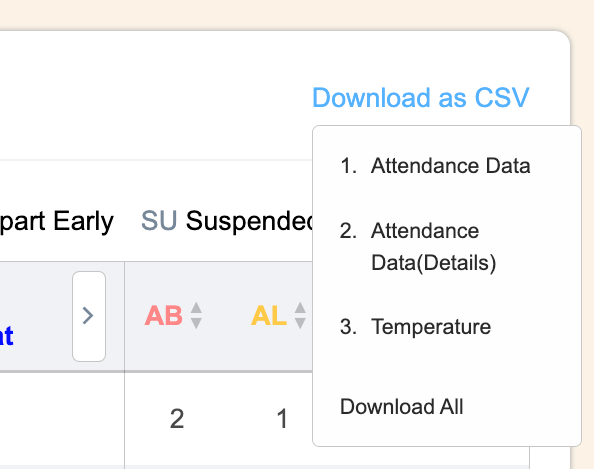
Student Data Management
Automatically track attendance and health records
Automatically track student attendance and health records with daily and monthly summaries. Teachers can update absence reasons, and the calendar view provides a clear visual overview for easy monitoring. -
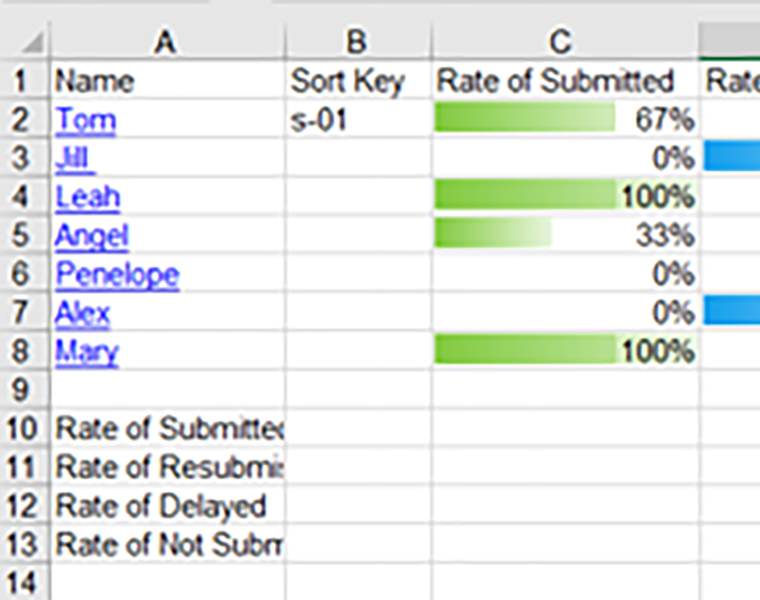
Monitor and Analyze Submission Status
Features for use in evaluations
Easily track student submissions, including previews, submission rates, and deadlines. Streamline grading, monitor compliance, and export data for analysis and documentation. This structured record-keeping supports accreditation requirements.
AI-Web Filtering
AI accurately filters web pages to display only educational content.
Night-time restrictions support focused learning at home.
-
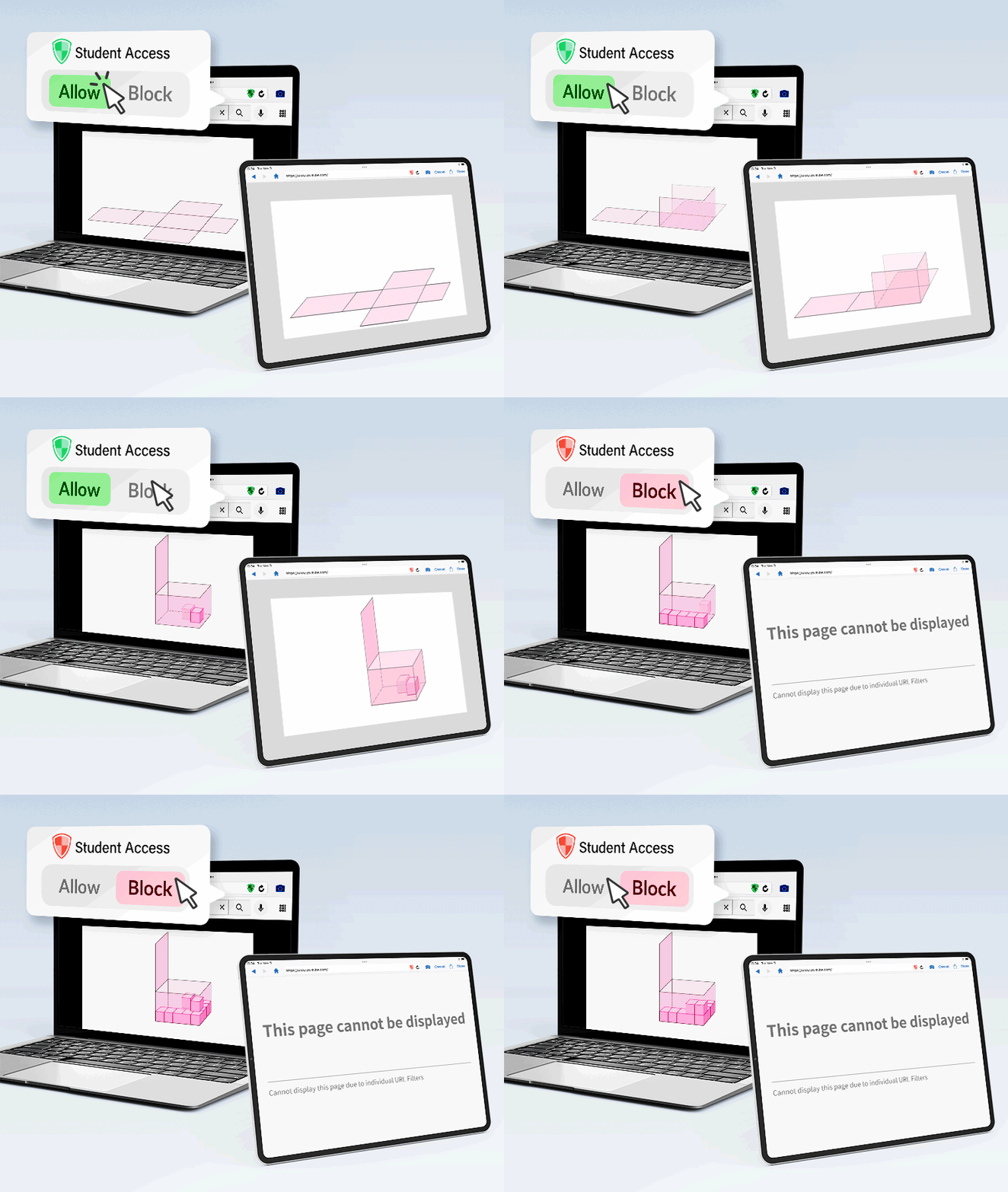
Control Student Web Access
Teachers can Allow or Block websites from the app
Teachers can allow/block student Web viewing permissions directly from the app. For instance, if YouTube is generally blocked for students, a teacher can allow access to specific YouTube videos, enabling students to view only the selected content. -
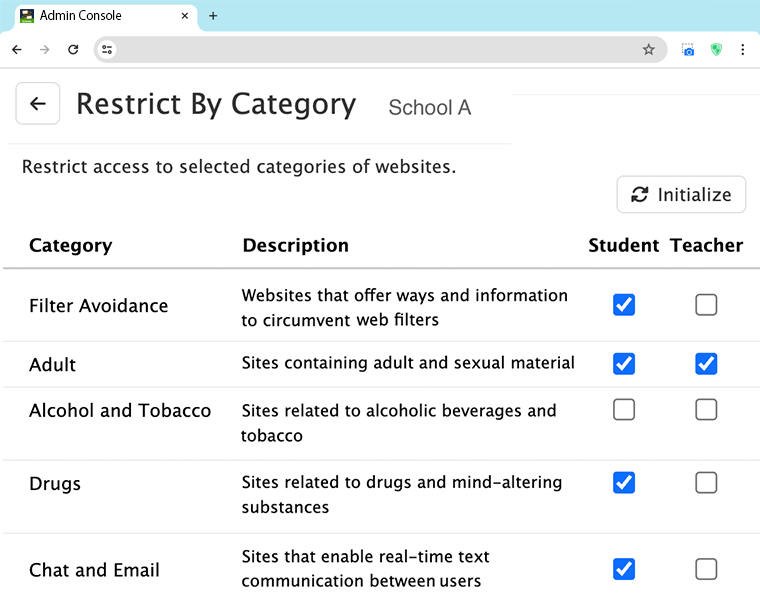
AI for Enhanced Web Security
AI blocks latest harmful websites instantly
Using AI, website categories from around the world are continuously updated, allowing new websites to be classified instantly. Specific URLs and domains can be individually managed with separate viewing permissions for teachers and students. -
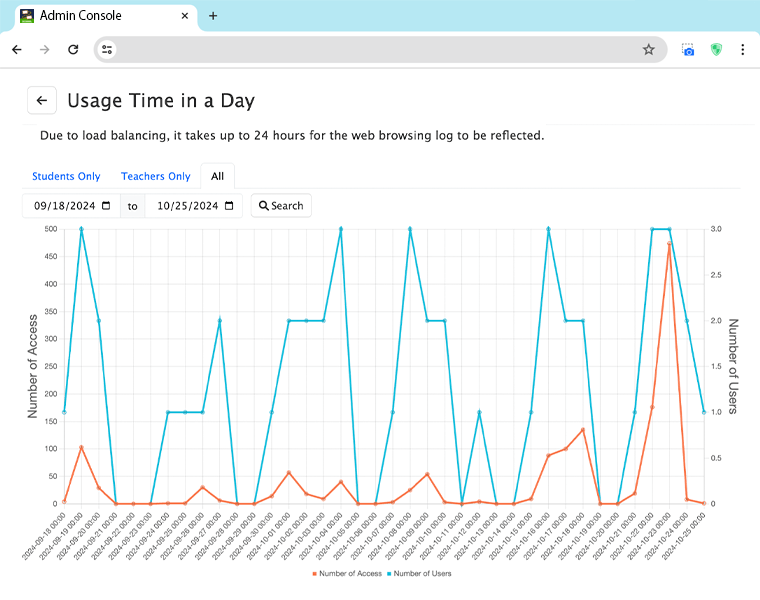
ICT Usage Analytics
View device activity and web browsing history
Device activity status, web browsing history, and usage times can be reviewed, allowing municipalities and schools to monitor ICT usage. This insight helps in planning strategies to promote more effective usage of ICT. -
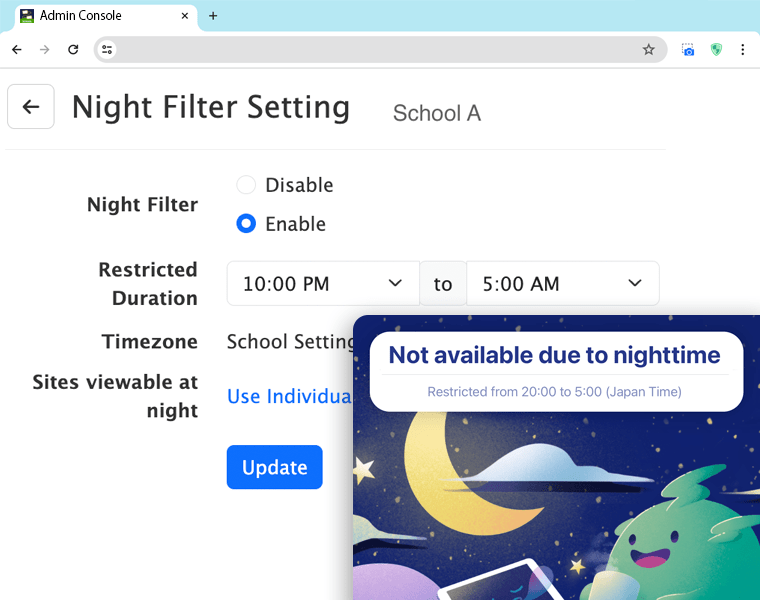
Night-time Web Access Filtering
Ideal for take-home/dorm use of ICT
Sites accessible during restricted nighttime hours can be set, such as allowing only educational pages. These settings can be managed centrally by municipal administrators or school administrators for consistent application across schools. -
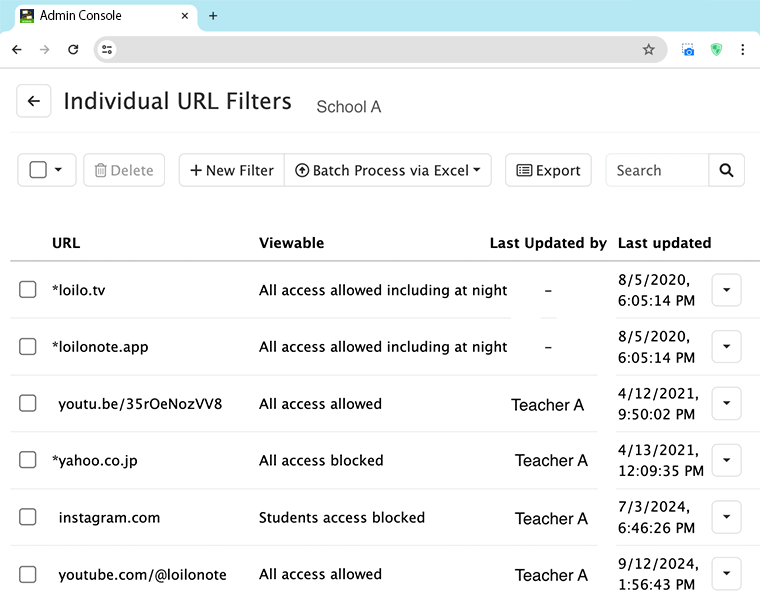
Centralized Settings for Municipalities, Universities, and School Networks
Central office has full control over all settings
Administrators can set whether municipal or school-level settings take priority. With the "Municipality Priority" setting, all management is handled centrally by the municipality. With the "School Priority" setting, each school manages settings individually.
School Administration
Centrally manage accounts and usage.
Streamline IT operations for municipalities and schools.
-
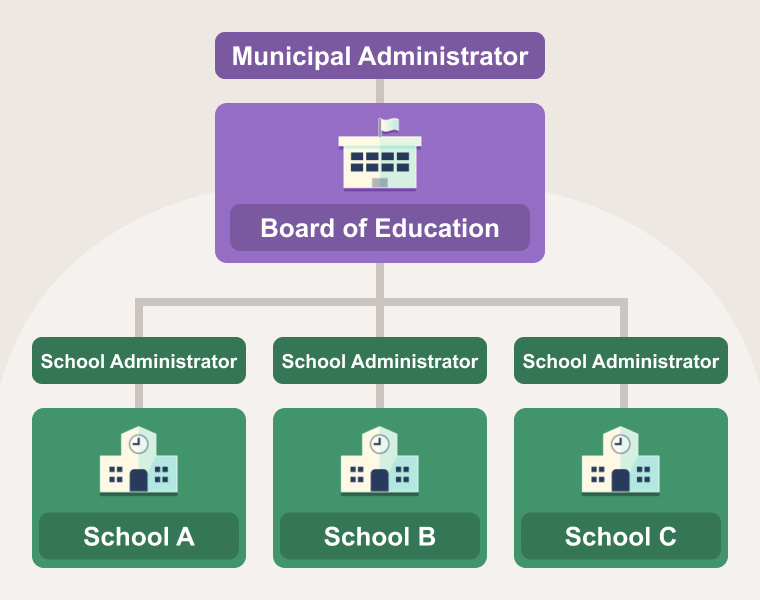
Easy Administration of User Accounts
SSO, bulk registration, web filtering, automated graduation, and usage stats.
With LoiLoNote School, municipalities and school networks can effortlessly manage all their schools in one place—no IT expertise needed! Easily register users in bulk, track usage, and oversee accounts with simple, hassle-free tools. -
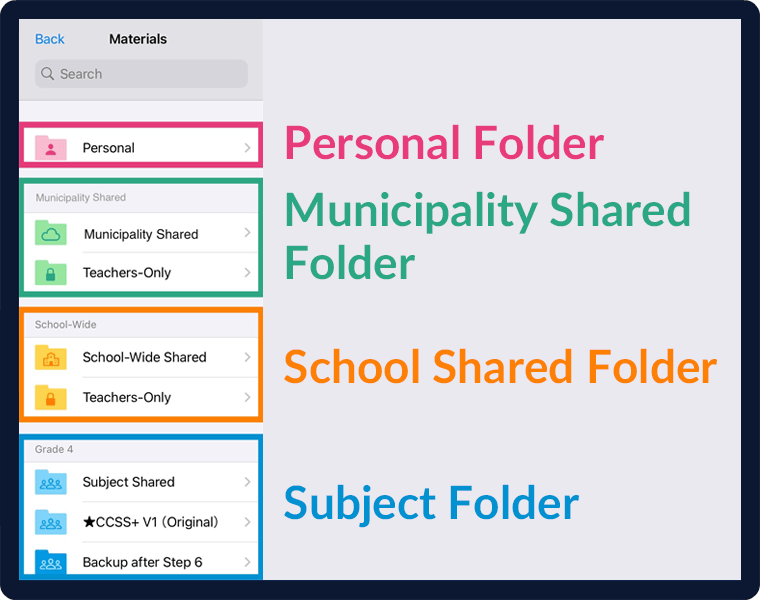
Digital Content Library
Share e-books, worksheets, videos, and more
Schools can seamlessly store, manage, and share a digital content library with unlimited cloud storage. Boards of Education can centrally distribute materials, while teachers and students can access and view learning content.
Teacher Resources
Ready-to-use teaching materials, lesson plans, and subject-specific use cases.
Ready for tomorrow's class.

Digital Curriculum
CBSE Curriculum Aligned
ICSE Curriculum Aligned
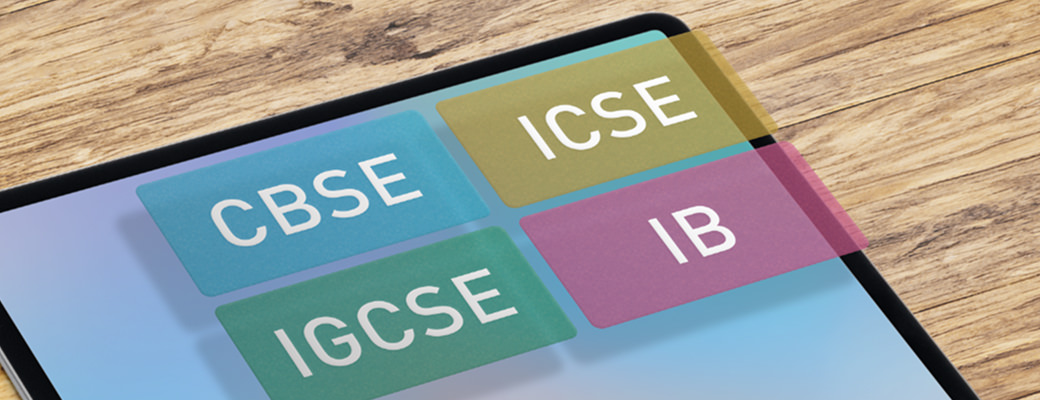
for CBSE, ICSE, IGCSE, IB
Curriculum Aligned Materials
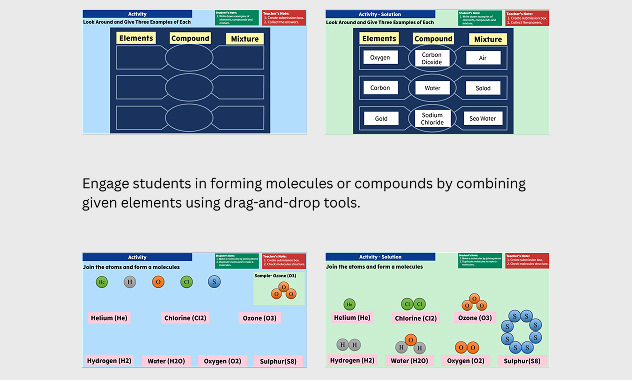
LoiLoNote offers a complete set of digital lessons aligned with NEP 2020 and international standards. Our curriculum helps teachers save time, engage students, and deliver deeper learning through structured, inquiry-based activities.
- Activity Worksheets 1000+
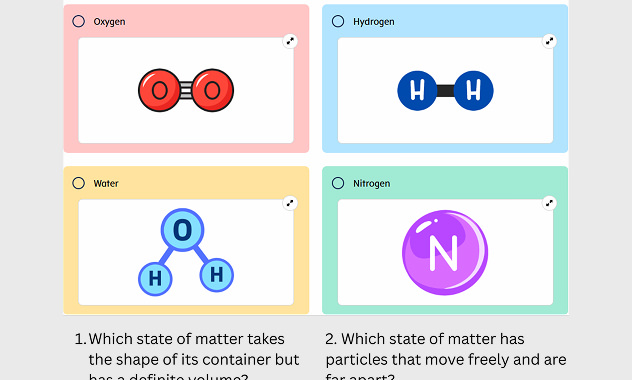
- Quizzes 1500+
- Questions Bank 15,000+
-
CBSE Curriculum Aligned
for Grades 5 to 10
・500+ Classroom Activities
・425+ Quizzes
・8000+ Questions
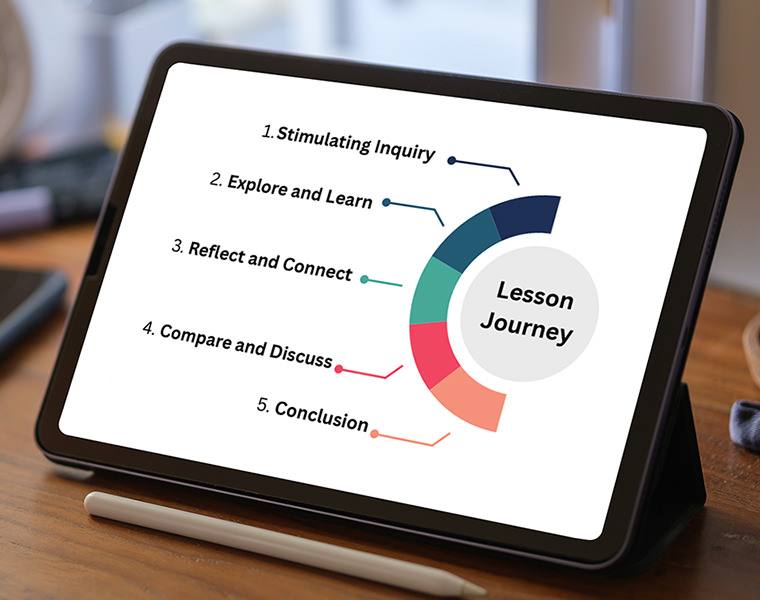
・Chapter-wise NCERT-aligned content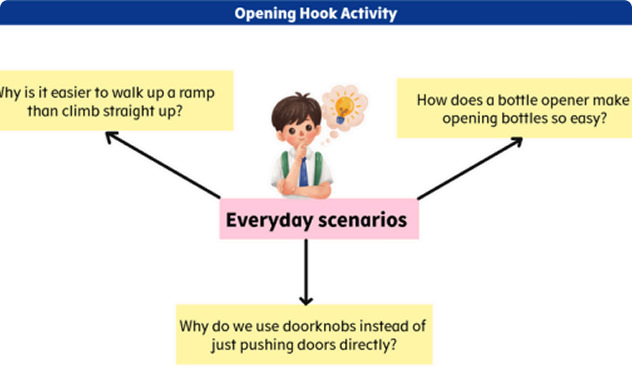
Stimulating Inquiry
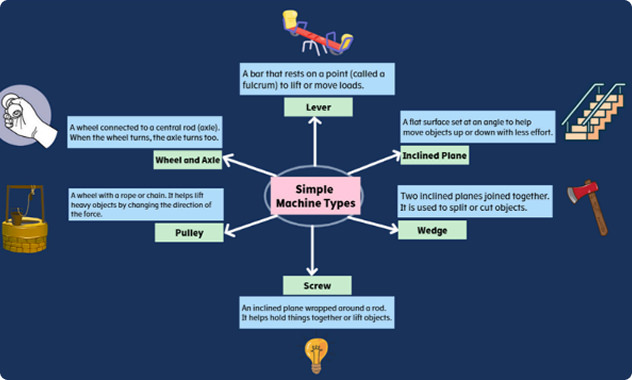
Explore and Learn
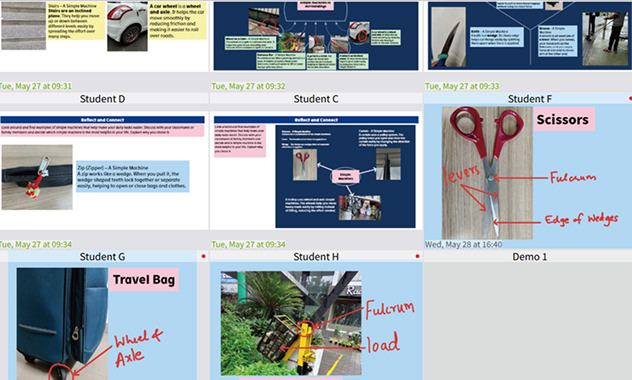
Reflect and Connect
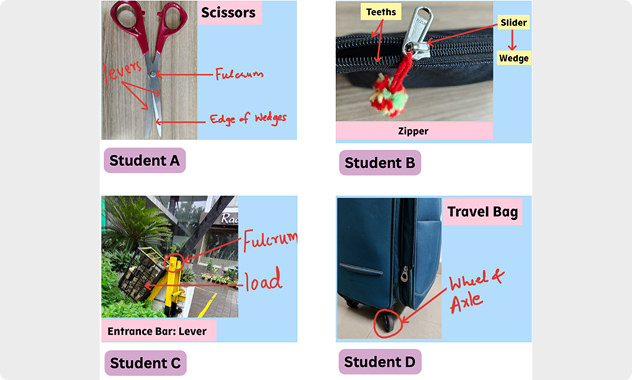
Compare and Discuss
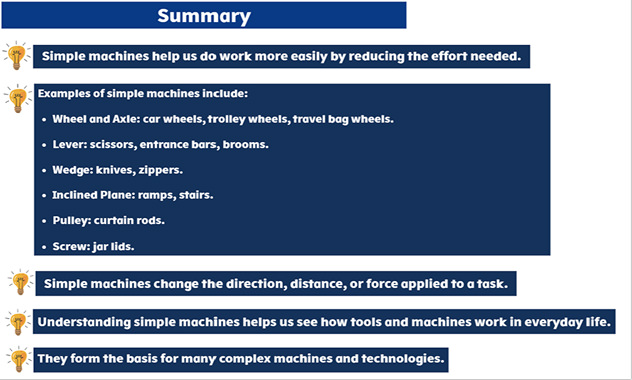
Conclusion
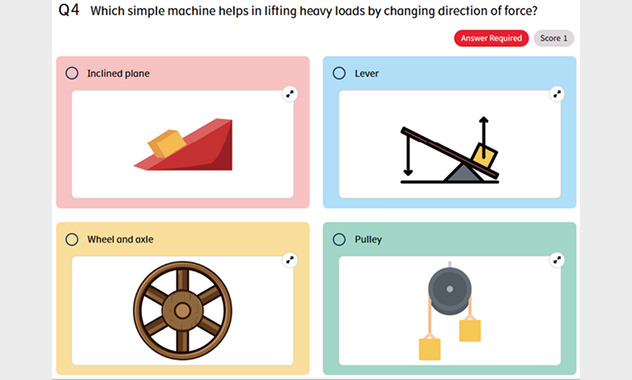
Assessment
-
ICSE Curriculum Aligned
for Grades 5 to 10
・700+ Classroom Activities
・800+ Quizzes
・10000+ Questions
・Based on CISCE syllabus with a focus on conceptual learning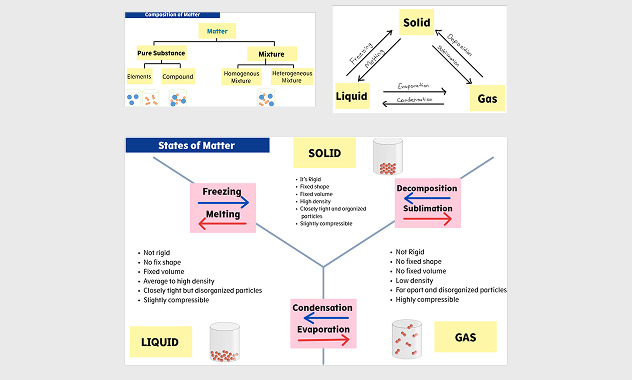
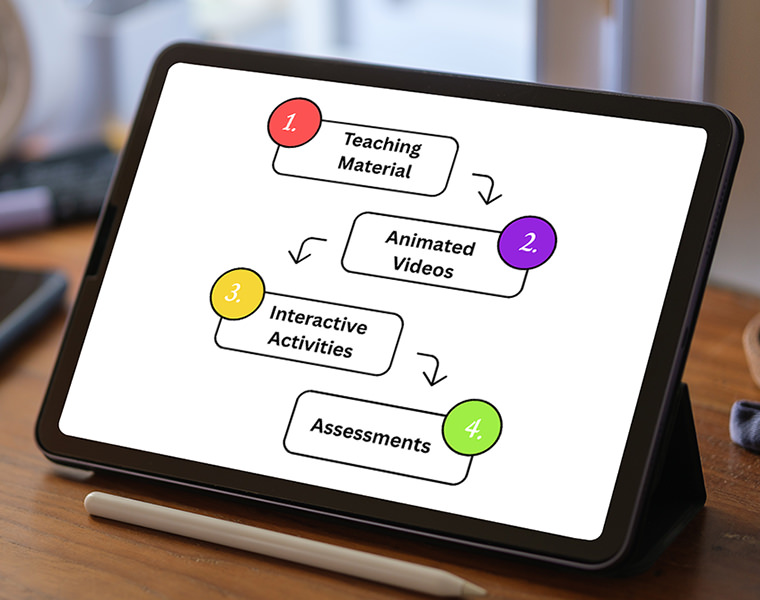
Teaching Material
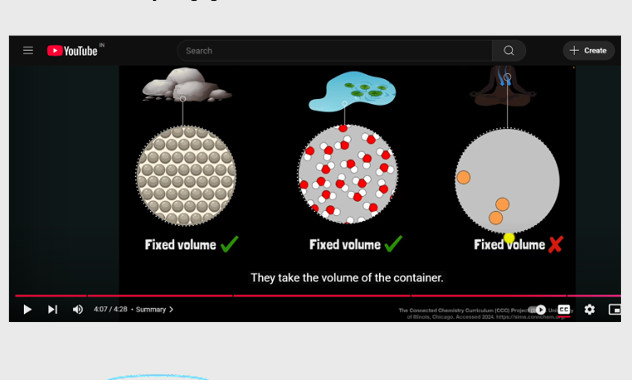
Animated Videos
Interactive Acitivities
Assessments
Explore LoiLoNote Overview Video
We’d Love to Hear from You!
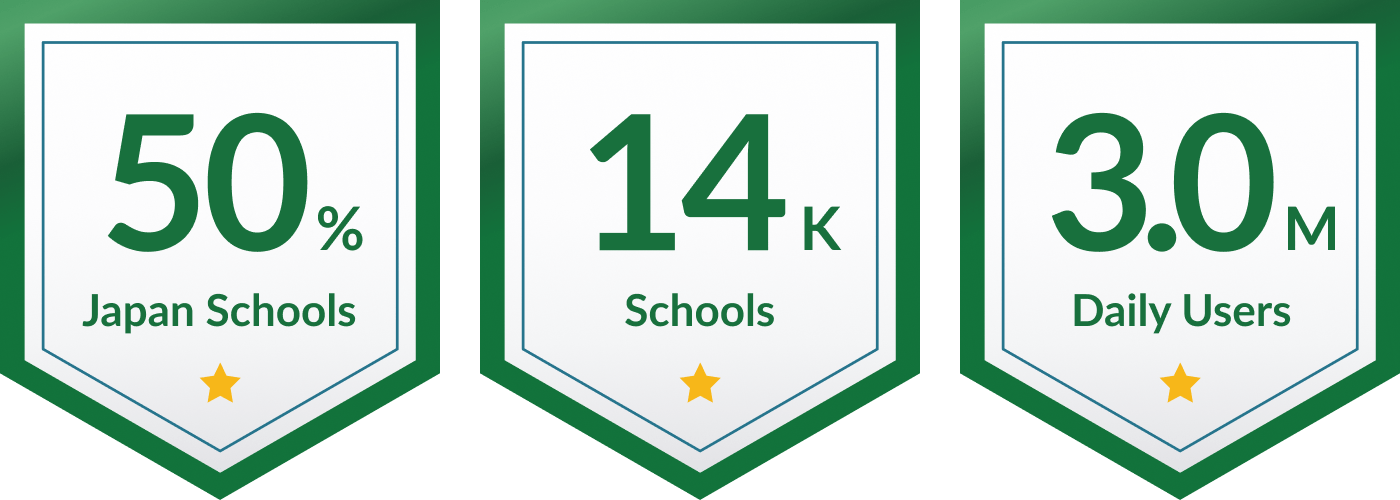
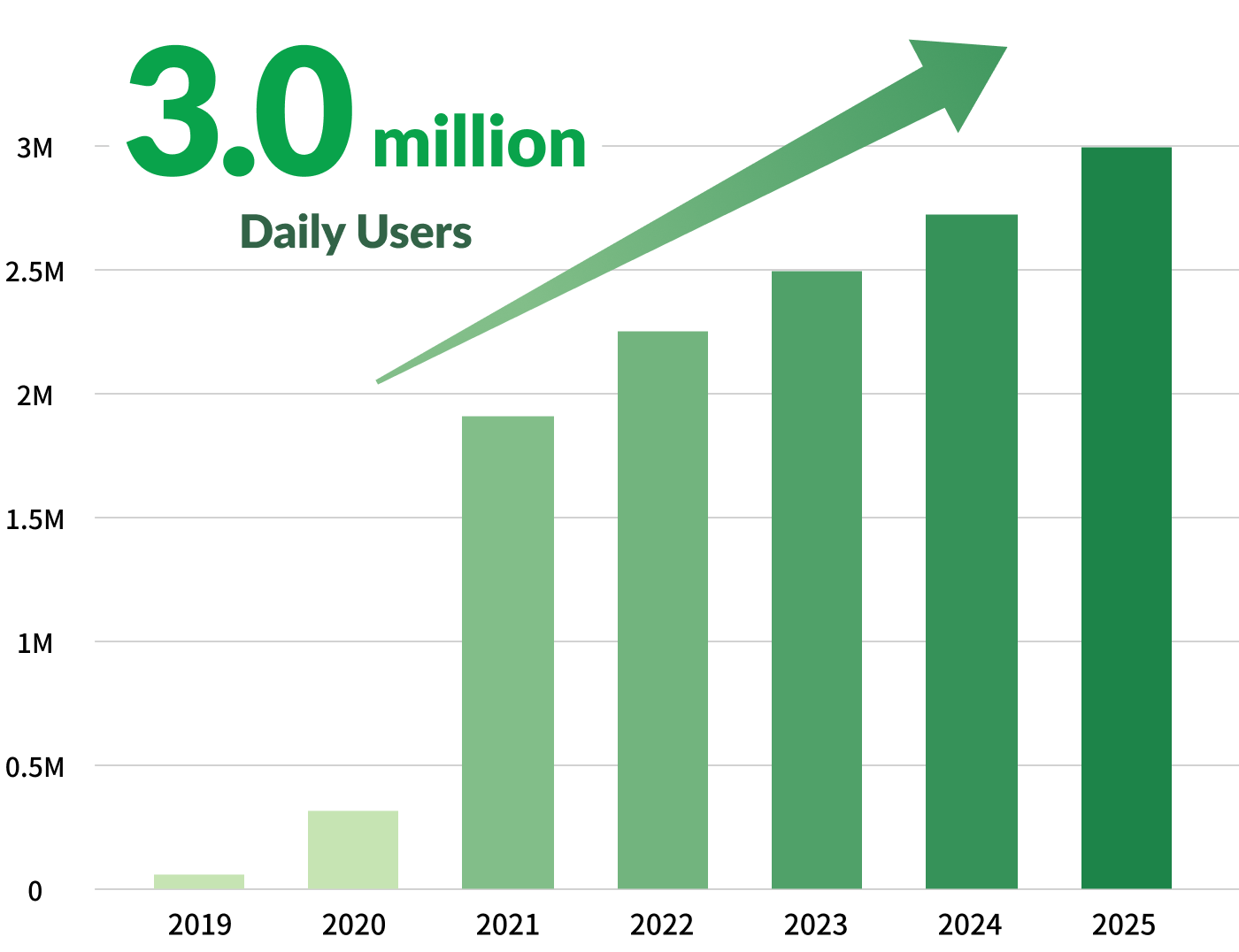
Built in Japan. Embraced Around the World.









Plans & Pricing


Teacher Account
| Users | 1 teacher |
|---|---|
| Login | Account credentials provided |
| Creation | Unlimited Cloud Storage |
| Materials | FREE Teaching Resources |
| Duration | No Expiration with Active Use |
| Admin | N/A |
| Reports | N/A |
| Price | Free forever |

School Account
| Users | Teacher and Student |
|---|---|
| Login | SSO |
| Creation | Unlimited Cloud Storage |
| Materials | Open Access to all Curriculum Resources |
| Duration | 1 Year |
| Admin | Admin Access Granted |
| Reports | Usage Insights and Reports |
| Price | INR 1,499 / Per Student / Per Year |
LoiLoNote Premier Schools Program
Get additional 50% discount on First Year subscription along with exclusive implementation support to seamlessly integrate LoiLoNote into your school’s learning environment.
* Offer Period: Till 30 June 2026
T & C Apply
Protecting Your Privacy
- FERPA
- COPPA
- SOPIPA
- GDPR
For compliance with U.S. Privacy laws such as FERPA, COPPA, and SOPIPA, please refer to Privacy Policy for U.S. Users.
For compliance with the GDPR Privacy Laws, please refer to our GDPR Privacy Policy for EEA/UK Users. Visit our Privacy Policy
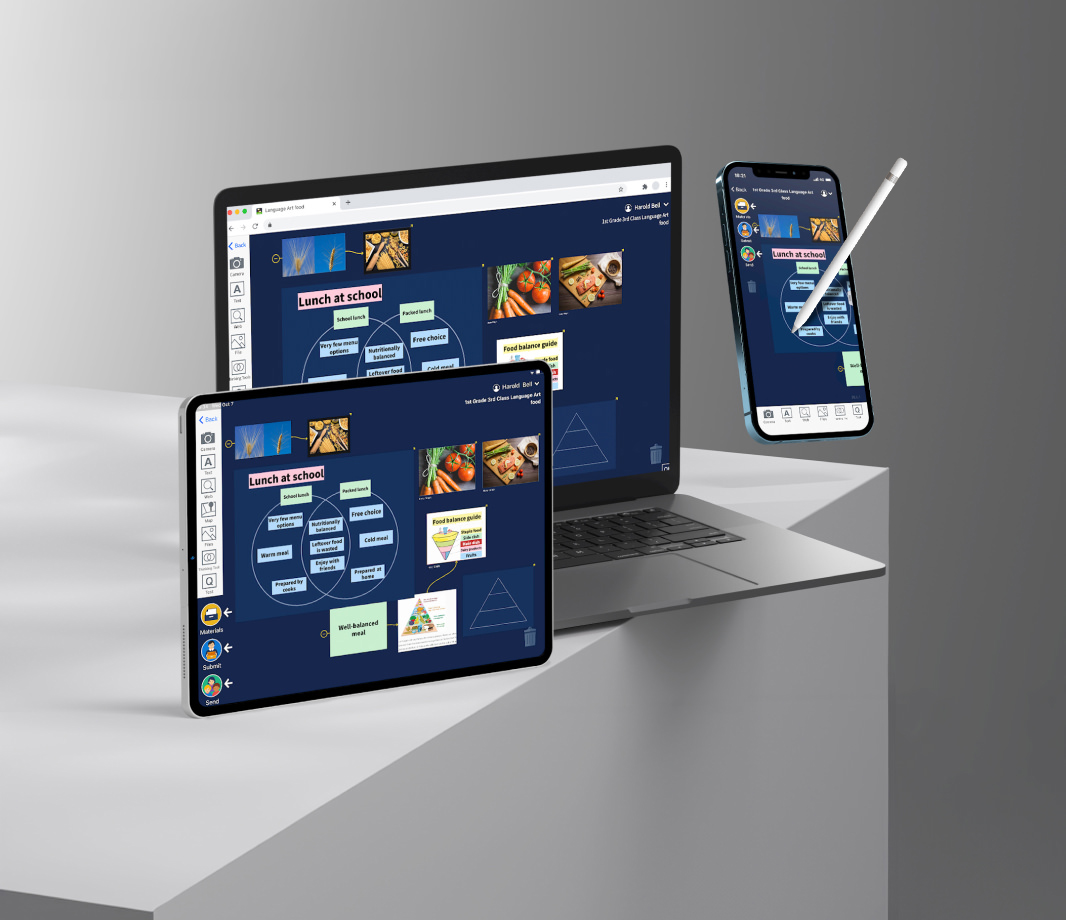
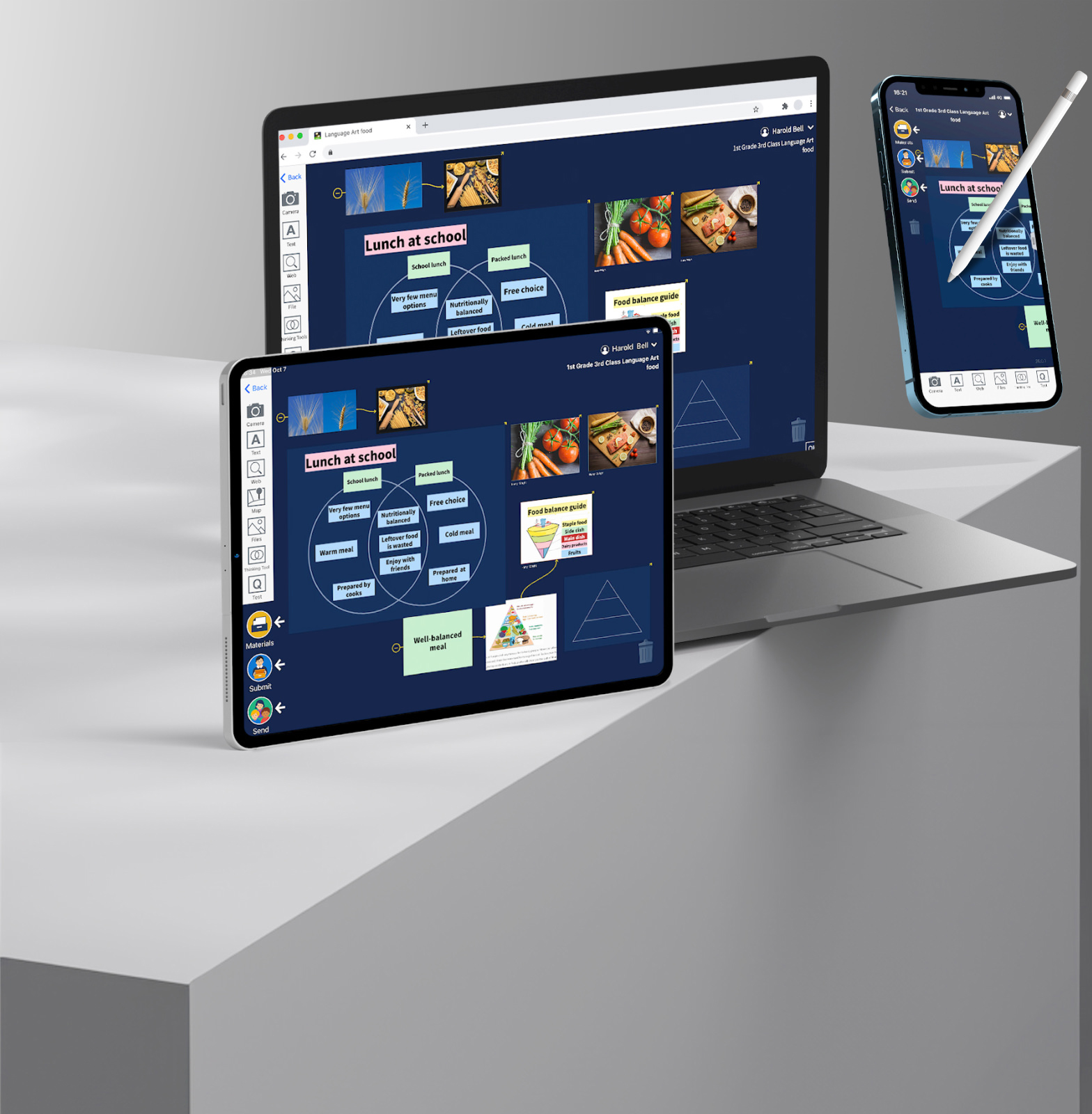
Multi-Platform Compatibility
Log in to multiple devices with a single account
Compatible with iOS (iPad / iPhone), Chromebook, Windows (Edge / Chrome browser), Android, and Mac.



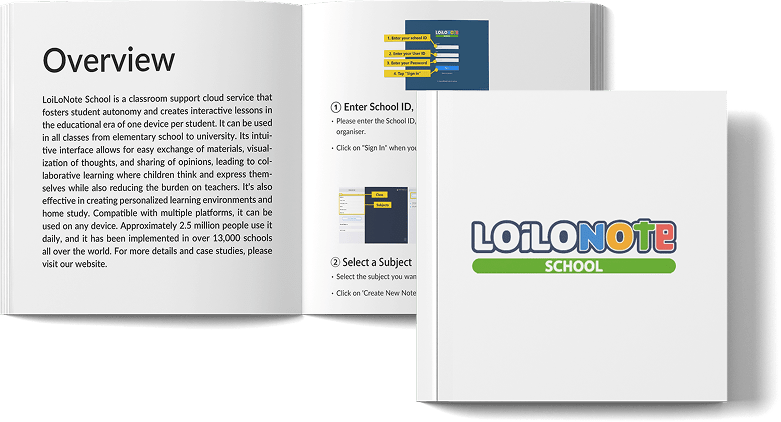
LoiLo Note School Manual
From setup to classroom use and management.
A practical guide to mastering LoiLo Note.
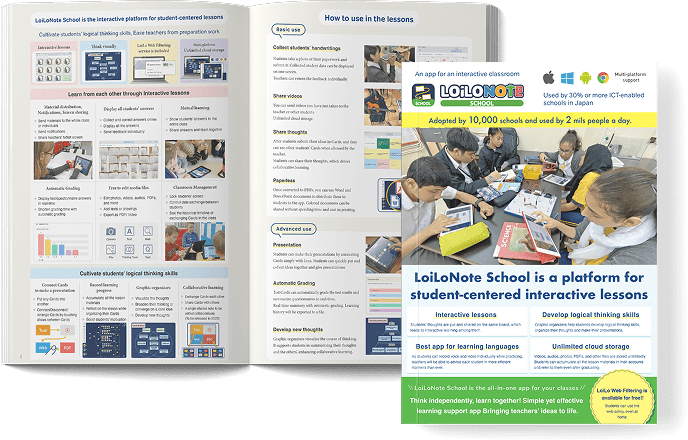
LoiLo Note School Official Materials
PDF brochures and manuals to help with product introduction, setup, and classroom use.
Also suitable for printing.